
Before You Begin
- You must be an Organisation Admin to manage users.
- The user will require a valid email address.
Add a User
Step 1. Open My Users
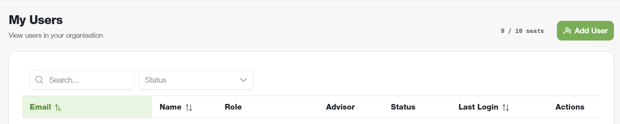
Navigate to: Setup → My Users
Step 2. Add User
Click Add User. Note, you must have at least one available seat
Step 3. Enter User Details
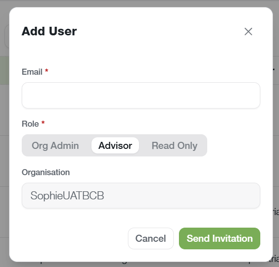
Add the new user's email and select the correct role
Step 4. Send Invitation
Click Send Invitation and the user will receive an invite to the organisation
Important Information
- Users can only access areas of BCB permitted by their assigned permissions.
- Organisation Admins can remove a user's access at any time
- Ensure the user's email address is entered correctly before saving.