
Before You Begin
- Only users with permission to manage billing can cancel a subscription.
- You will need access to the Billing section within BCB.
Cancel Your Subscription
Step 1. Open Billing
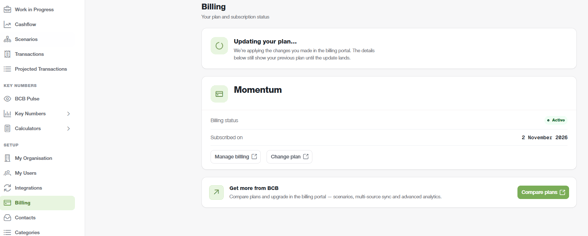
Navigate to: Setup -> Billing
Step 2. Open Manage Billing
Click Manage Billing
Step 3. Locate Cancel Plan
On the Plan page, scroll down until you reach the Cancel Plan section
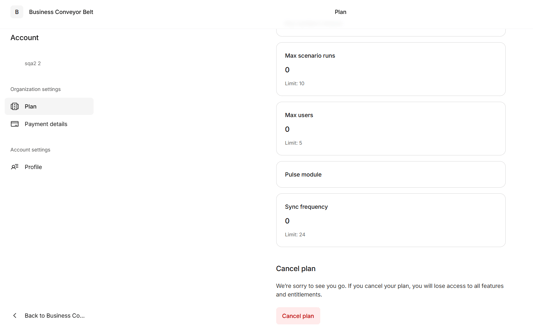
Step 4. Cancel Your Plan
Click Cancel Plan
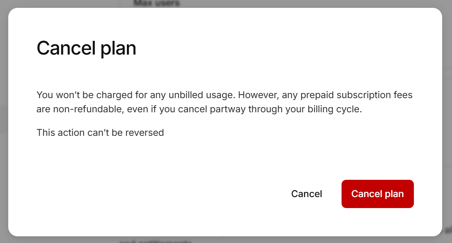
Step 5. Confirm Cancellation
Click Cancel Plan again to confirm your cancellation
Important Information
- Subscription cancellations must be confirmed before they take effect.
- Only users with the appropriate billing permissions can manage or cancel a subscription.
- If you do not see the Billing section, contact your Organisation Administrator for assistance.