
Before You Begin
- You must be an Organisation Admin to manage users.
- Deactivated users will no longer be able to access your BCB organisation.
Remove a User
Step 1. Open My Users
Navigate to: Setup → My Users
Step 2. Locate the User
Find the user you want to remove from the user list.
Step 3. Deactivate the User
Click the Deactivate User button beside the user's record.

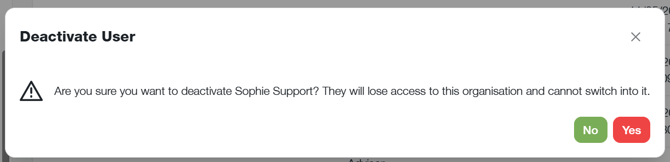
Step 4. Confirm the Change
Follow the prompts to confirm the deactivation.
Step 5. Success
Once the user has been deactivated, a success message will appear stating:
- User deactivated successfully
- The user's status will also change from Active to Deactivated.
Important Information
- Deactivated users cannot sign in to your BCB organisation.
- Only Organisation Admins can manage user access.
- User access can be reviewed at any time from My Users.
- Consider deactivating users promptly when they no longer require access to your organisation.
- You are able to reactivate a user if they require access to your organisation again at a later stage