
Before You Begin:
- Only users who are Organisation Admin can manage Data Sharing.
- Data Sharing is disabled by default.
- Changes take effect immediately after saving.
Enable Data Sharing
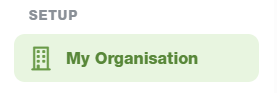
Step 1. Open My Organisation in Setup
Navigate to: Setup -> My Organisation.
Step 2. Open Editing View
Click the 'Edit' button in the top right hand corner to open the Editing view.

Step 3. Locate Data Sharing
Scroll to the Data Sharing section.

Step 4. Turn Data Sharing On
Select the On Option.

Step 5. Save Changes
Click Save to apply your changes.
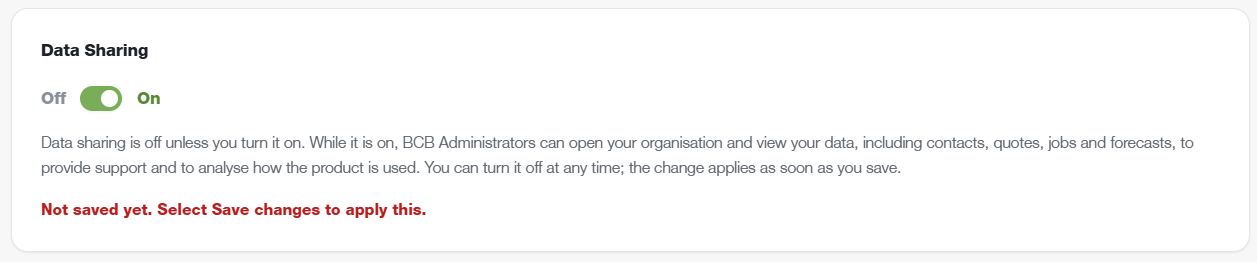

Once enabled, BCB Administrators can access your organisation to assist with support requests and investigate issues. This may include viewing contacts, quotes, jobs, forecasts and related records.
Want to Turn Off Data Sharing?
Simply follow the same steps used to Enable Data Sharing, but instead toggle Data Sharing to 'Off'
When disabled, BCB Administrators will no longer be able to access your organisation's data.
Important Information
- Data Sharing can be enabled or disabled at any time.
- Changes apply immediately after selecting Save.
- Enabling Data Sharing allows BCB Administrators to access organisation data for support and troubleshooting purposes.
- Disabling Data Sharing removes this access immediately.