
Understanding Cashflow Totals
Before You Begin
- Cashflow reports display summary totals at the bottom of the screen.
- These totals help compare your projected cashflow against actual cash movement.
Total Actual Transactions
This value represents the total amount of actual cash transactions recorded during the selected period.
Actual transactions may originate from:
- Accounting software integrations such as Xero or MYOB.
- Manually entered transactions.
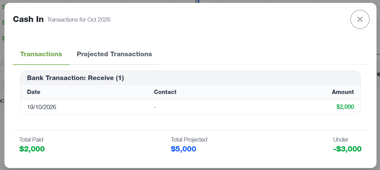
Total Projected Transactions
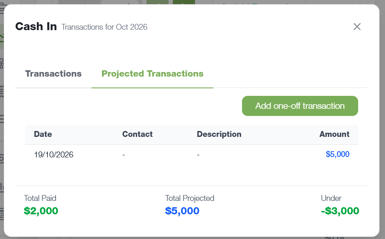
This value represents the total amount of projected income and expenses expected during the selected period.
Projected transactions are created and managed within BCB.
Difference
The Difference value compares your projected transaction totals against your actual transaction totals.
This allows you to quickly identify whether cash movement is tracking above or below expectations.
Example:
- Total Actual Transactions: $2,000
- Total Projected Transactions: $5,000
- Difference: $3,000
This indicates that $3,000 less cash movement has been recorded than was projected.

Important Information
- Difference values highlight variances between projected and actual amounts.
- Variances do not automatically indicate an issue.
- Differences should be reviewed to determine whether projections need updating or whether additional transactions have yet to be recorded.