
Your Baseline Forecast is your primary forecast and represents your current view of the future based on the information available in BCB.
It combines information from your connected systems alongside forecast information entered directly into BCB, creating a single forward-looking view of your expected cash position.
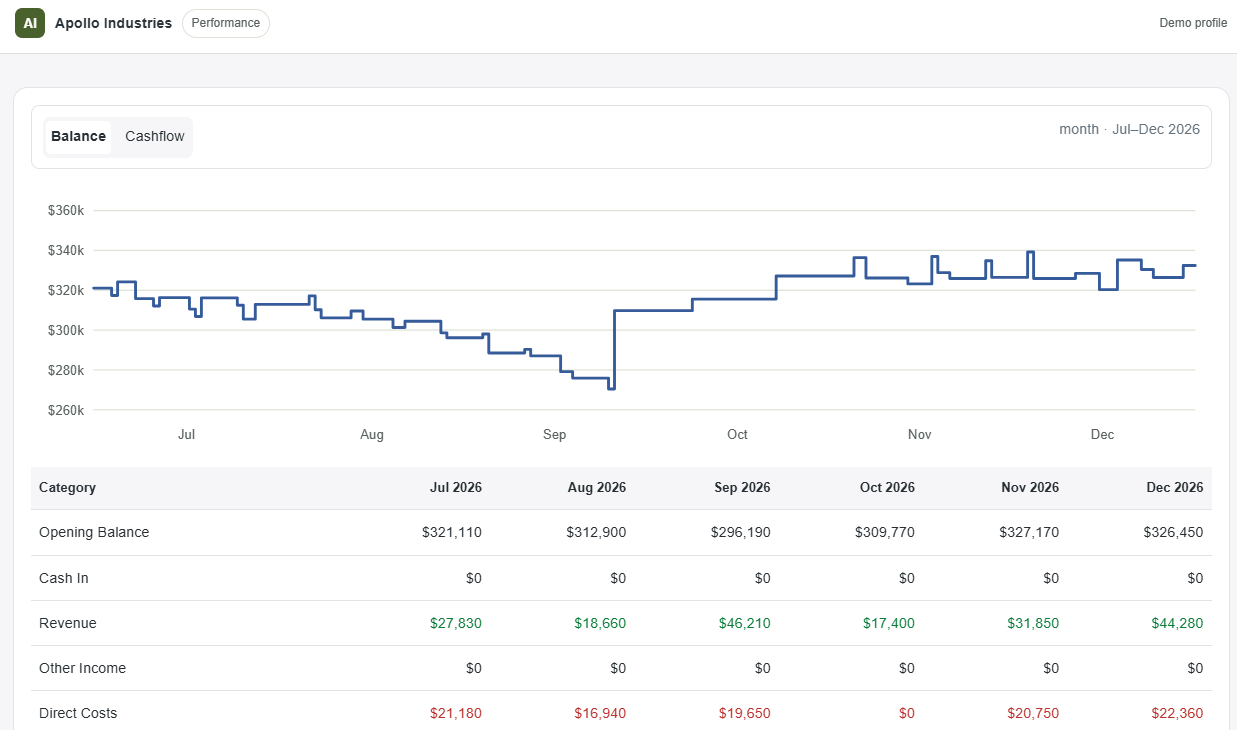
What Makes Up Your Baseline?
Your Baseline Forecast may include information from:
- Connected accounting systems (Xero or MYOB)
- Connected operational systems (such as Simpro)
- Projected Transactions
- Categories
- Accounts & Balances
- Forecast assumptions already applied to your organisation
As new information is synced or entered, your Baseline Forecast updates to reflect the latest available information.
Why Is My Baseline Important?
Your Baseline acts as the reference point for all future planning decisions. Before making business decisions, it's important to ensure your baseline reflects what you currently expect to happen.
Review:
- Expected receipts
- Expected payments
- Timing Assumptions
- Planned Transactions
- Connected data
A reliable baseline helps produce more meaningful forecasting outcomes.
How Do Scenarios Relate to My Baseline?
Scenarios do not replace your baseline. When you create a scenario, BCB creates an alternative forecast so you can understand how a change may impact future cashflow.
Examples include:
- Hiring new staff
- Purchasing equipment
- Delaying customer payments
- Winning new work
- Increasing costs
The Baseline Forecast remains unchanged while you're reviewing scenarios.
Can I Compare Multiple Scenarios?
Yes. You can compare multiple scenarios against your baseline to understand which outcome best suits your business.
Comparing scenarios allows you to evaluate different decisions without affecting your current forecast.
What Happens When I Apply a Scenario?
Applying a Scenario is a separate action. When you select Apply to Baseline, the approved scenario becomes part of your baseline forecast.
From that point onward, the changes contained within the scenario are reflected in your primary forecast.
Can I Undo an Applied Scenario?
There is currently no undo-scenario button after applying a scenario. Review the assumptions and changes carefully before confirming.
See what Apollo can do with forecast transactions for more detail. If you need help correcting an applied scenario, contact support.
Applying a scenario changes your baseline forecast and should only be done when you're confident in the proposed change.
Keeping Your Baseline Forecast Useful
Your baseline forecast should continue to reflect your latest business expectations.
Regularly:
- Sync connected systems
- Review Projected Transactions
- Update planning assumptions
- Remove outdated information
- Create scenarios to test potential changes before committing to them
The more accurate your baseline, the more valuable your forecasting becomes